
In Beyond the MCP gateway we argued that a gateway on its own gives you neither the productivity nor the safety you were after, and that it takes five layers working together, which we call MCP Authority. This post shows what each of those layers looks like in SecureAuth Agent Authority, and then follows one tool request through all five.
At a glance
Fig. 1 · MCP Authority
Five layers that work as one system
01MCP Gateway
Where does every tool call go, and where can it be seen?
02Onboarding
How does someone get a tool they need without filing a ticket?
03MCP Catalog
Which MCP servers are allowed at all, and at which version?
04Authorization & Data Protection
What may this agent do on this call, and what data may it see?
05MCP Security
Is the tool itself still behaving the way it was approved to?
= MCP Authority
Delivered by SecureAuth Agent Authority
1. MCP Gateway: see who uses which AI tools, and what it costs
Without a gateway, each agent connects to its tools directly, so IT has to check each agent separately to learn what it calls. With Agent Authority, agents connect once. Behind that connection sit the MCP servers your organization has approved, and each tool name carries the server it comes from, so your admins know which system a call is going to.
That single point of control is also a single point of visibility. The gateway also records what your agents are doing. Enforcement Traffic shows what the gateway decided, tool call by tool call, across every agent and resource:
- How many tools ran
- How many agent instances and people were active
- When the activity happened
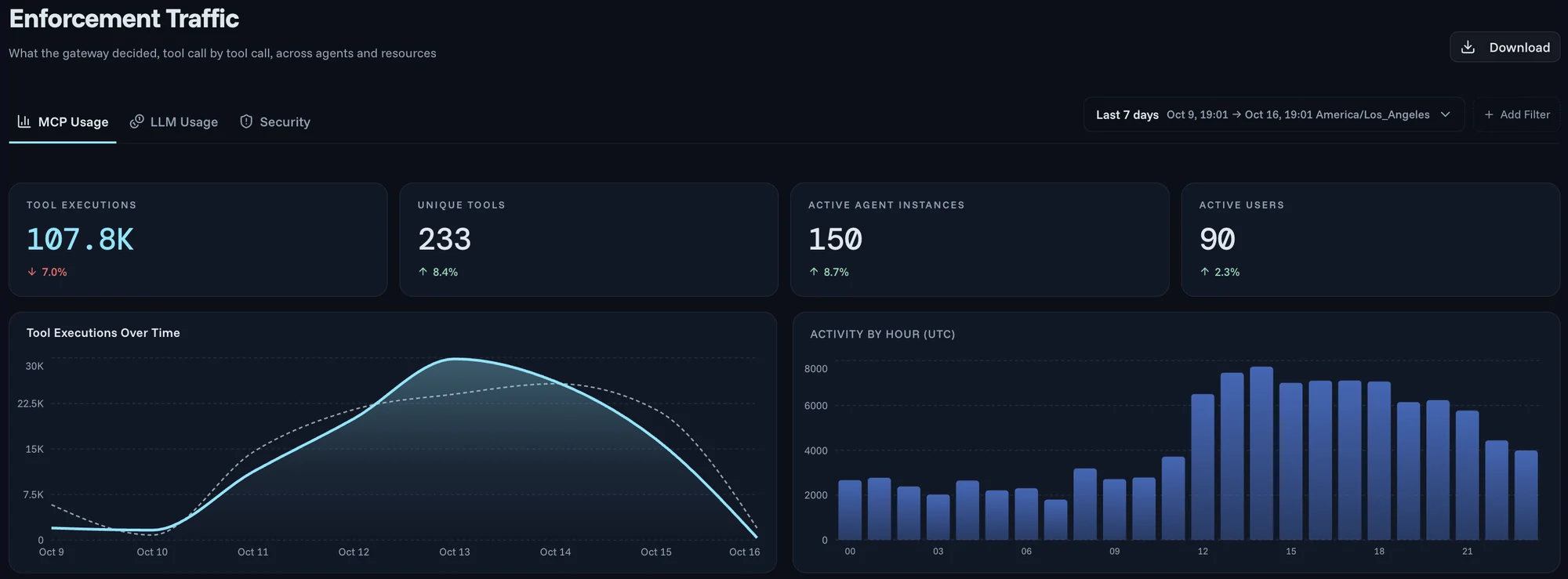
2. Onboarding: request a tool, get it approved
When getting an AI tool means filing a ticket and waiting, employees connect tools on their own, and IT loses track of what their agents can reach. In Agent Authority, the developer who wants a code-search tool, or the analyst who wants the data-warehouse connector, browses the tools on offer and requests the one they need.
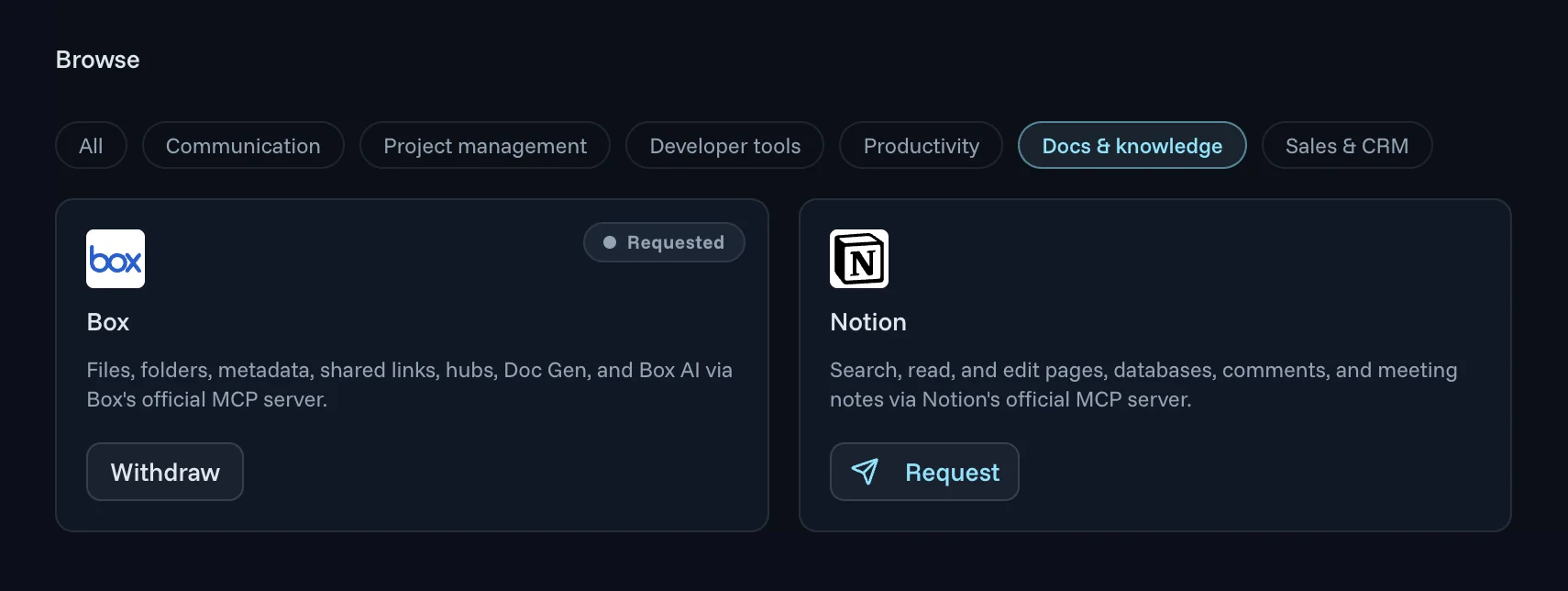
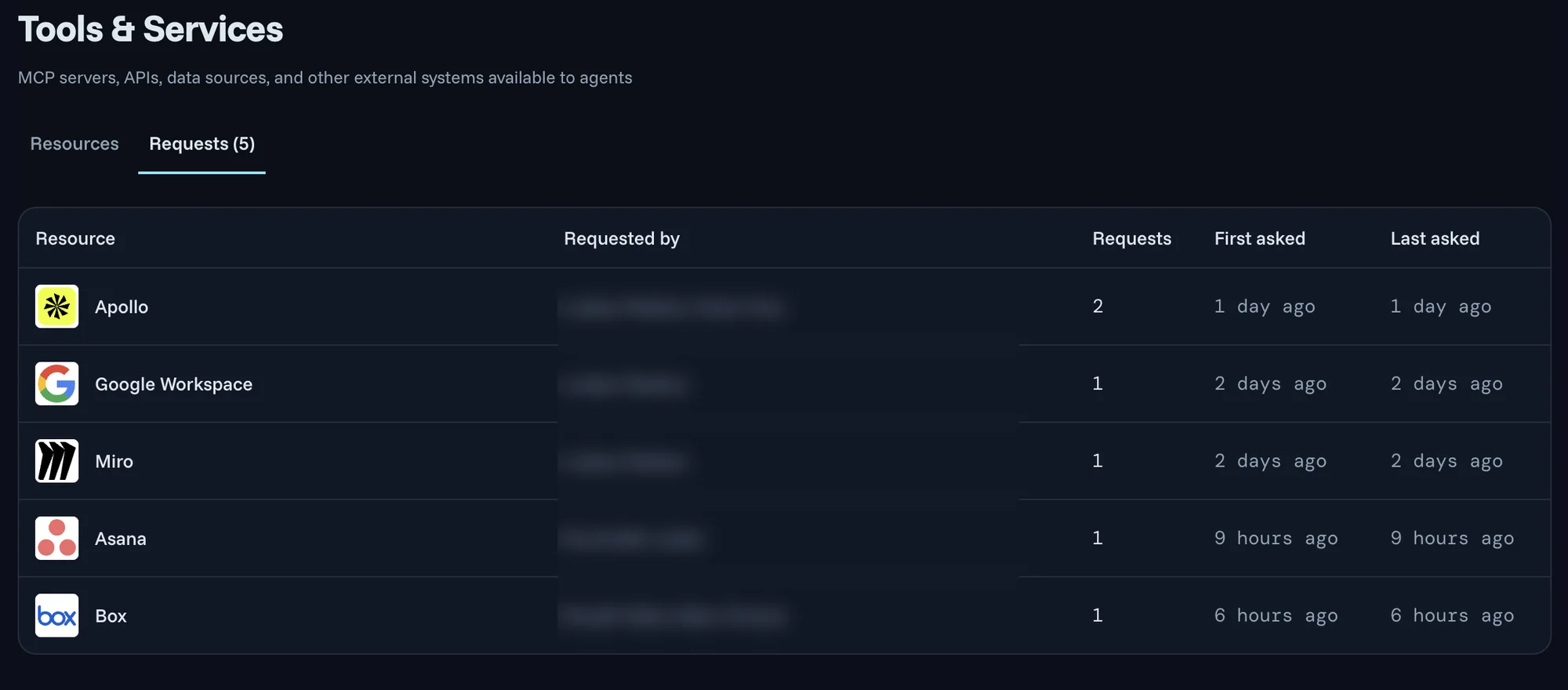
Each request lands in the admin's Requests queue. A tool that several employees keep asking for stands out, so admins can review the tools in highest demand first. Once a request is approved, the tool is available to that employee's agents under the same policies as every other tool.
3. MCP Catalog: vetted servers, pinned versions
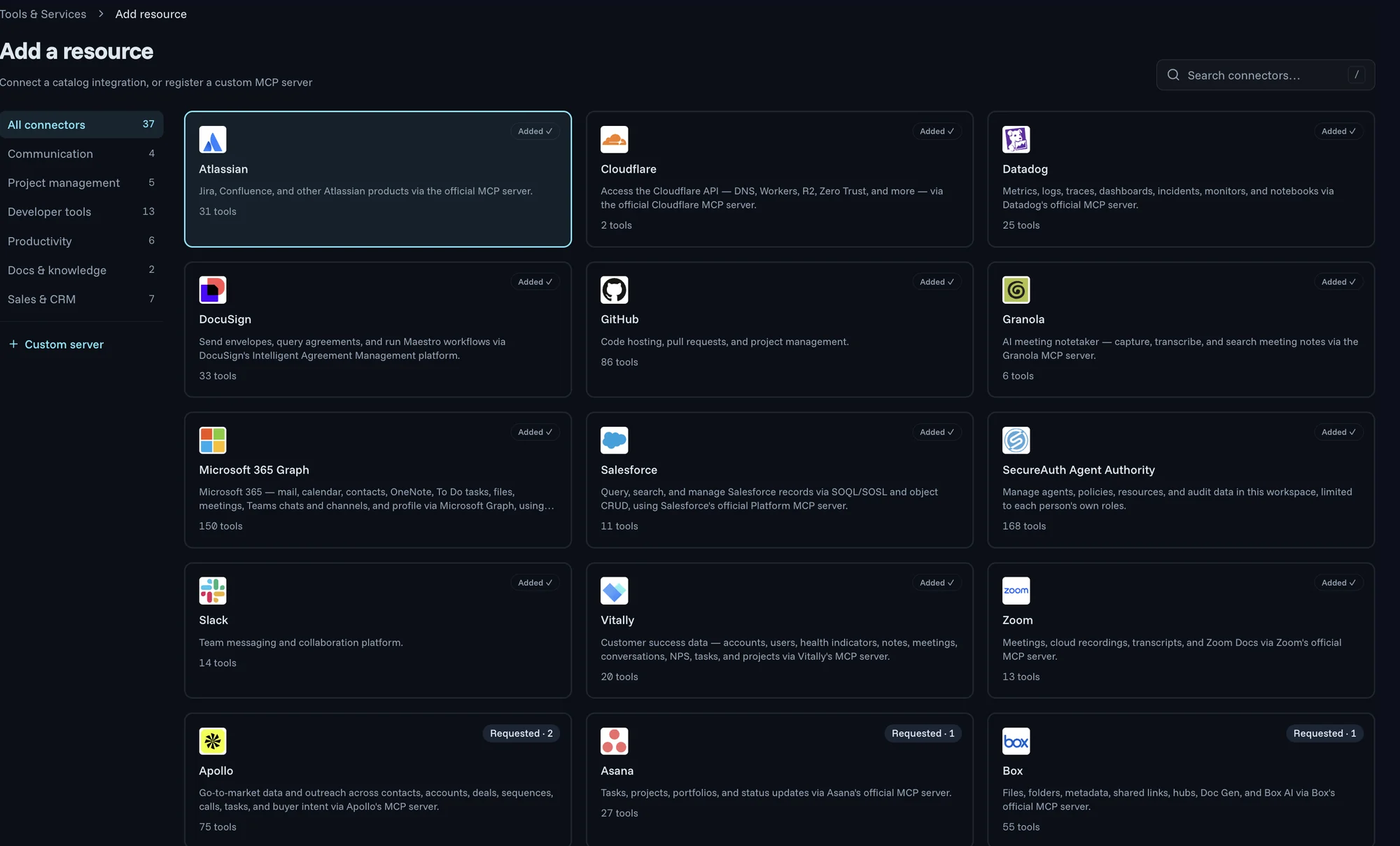
The catalog is the curated list of MCP servers your organization has vetted. Most entries connect through the vendor's official MCP server, and you can register a custom MCP server alongside them. Each one is pinned to a known-good version, and any change after approval is flagged for review. That protects you from a rug pull, where a server rewrites a tool to copy data out or take actions you did not approve.
4. Fine-grained authorization and data protection: keep sensitive data away from AI agents
An approved tool still has limits. Every call is checked against policy, so an agent can use a tool for the task in front of it without access to everything the tool can do. The Authority Graph shows those policies in one view.
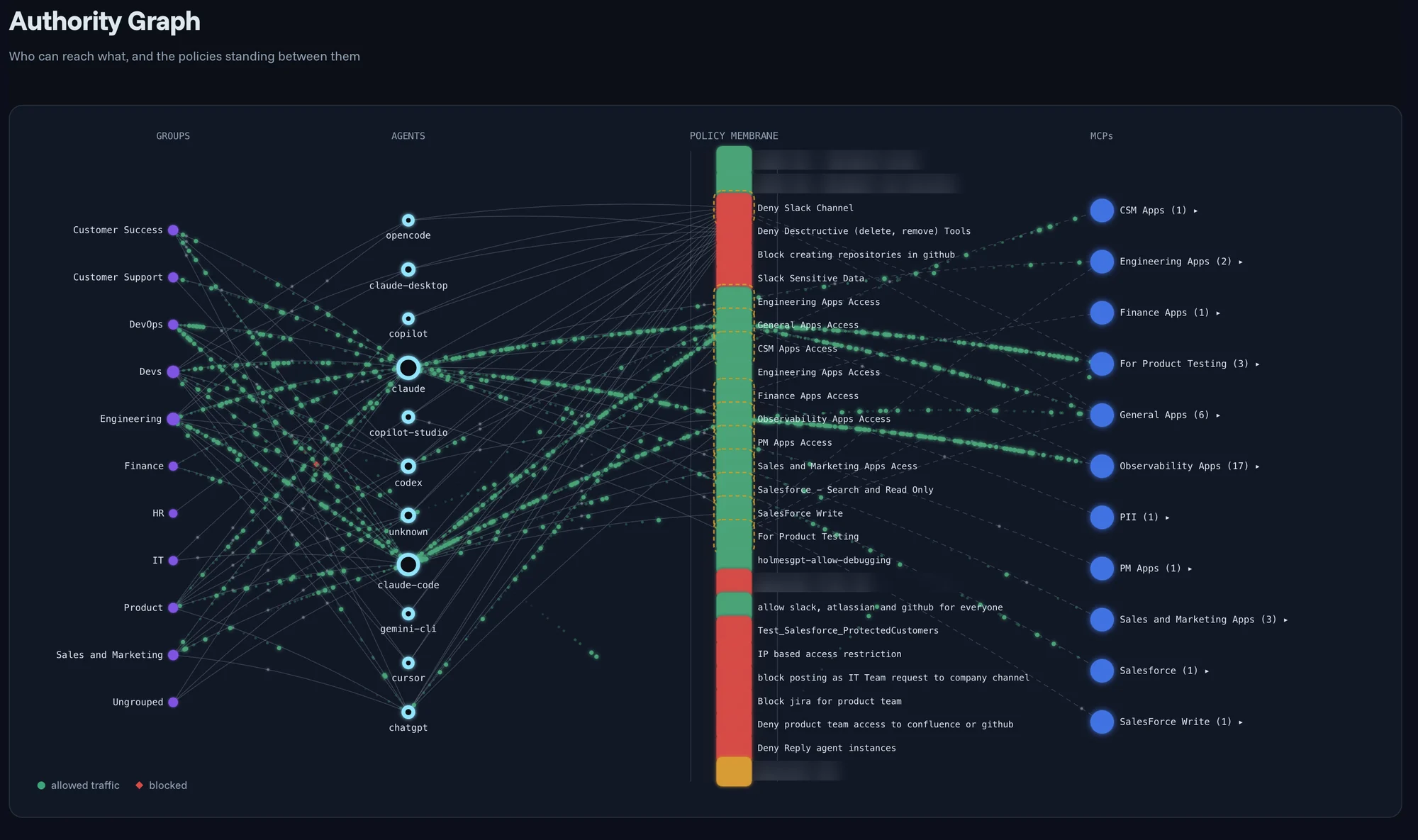
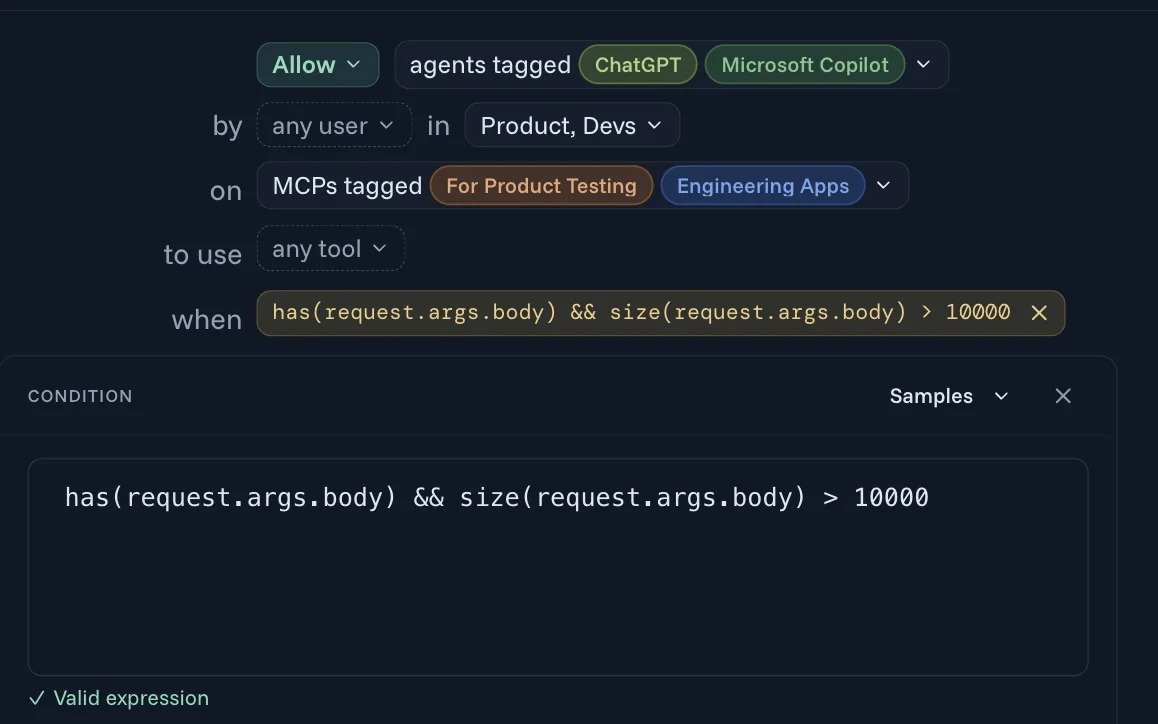
Each policy names the agents, the users and groups they act for, the MCP servers, the tools, and an optional condition that looks inside the request itself. With that, the same connector can be open to your product team's agents and blocked for everyone else.
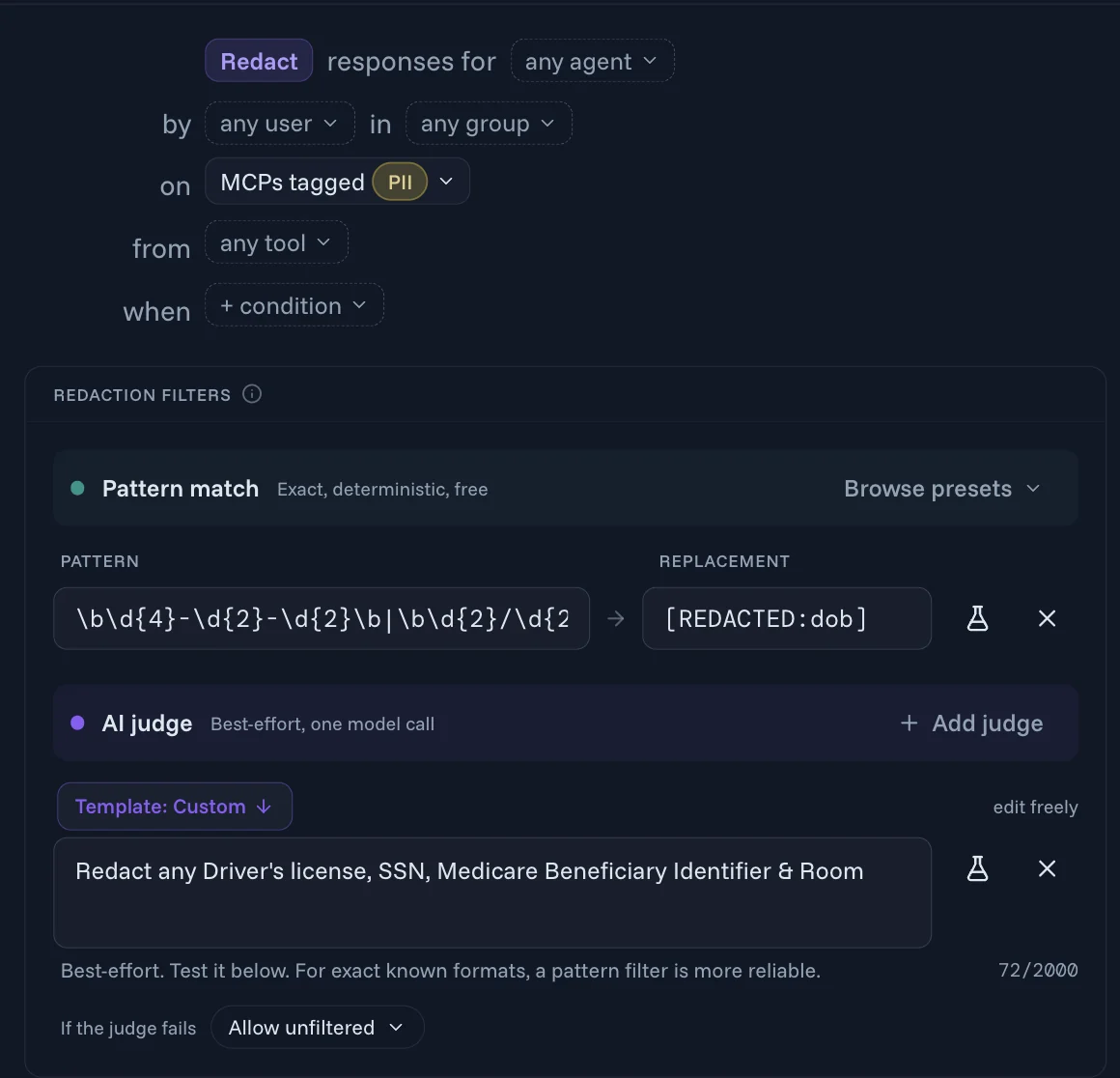
Policy also controls the data an agent sees. A redaction policy picks the responses it applies to the same way, then filters them before they reach the agent, so the agent and the AI model behind it see the answer without the sensitive fields. Pattern filters catch exact, known formats such as card or routing numbers and dates of birth. An AI judge handles what a pattern cannot describe, such as "redact any driver's license or SSN." The judge can run on your own AI provider, and you choose what happens if it cannot return a decision.
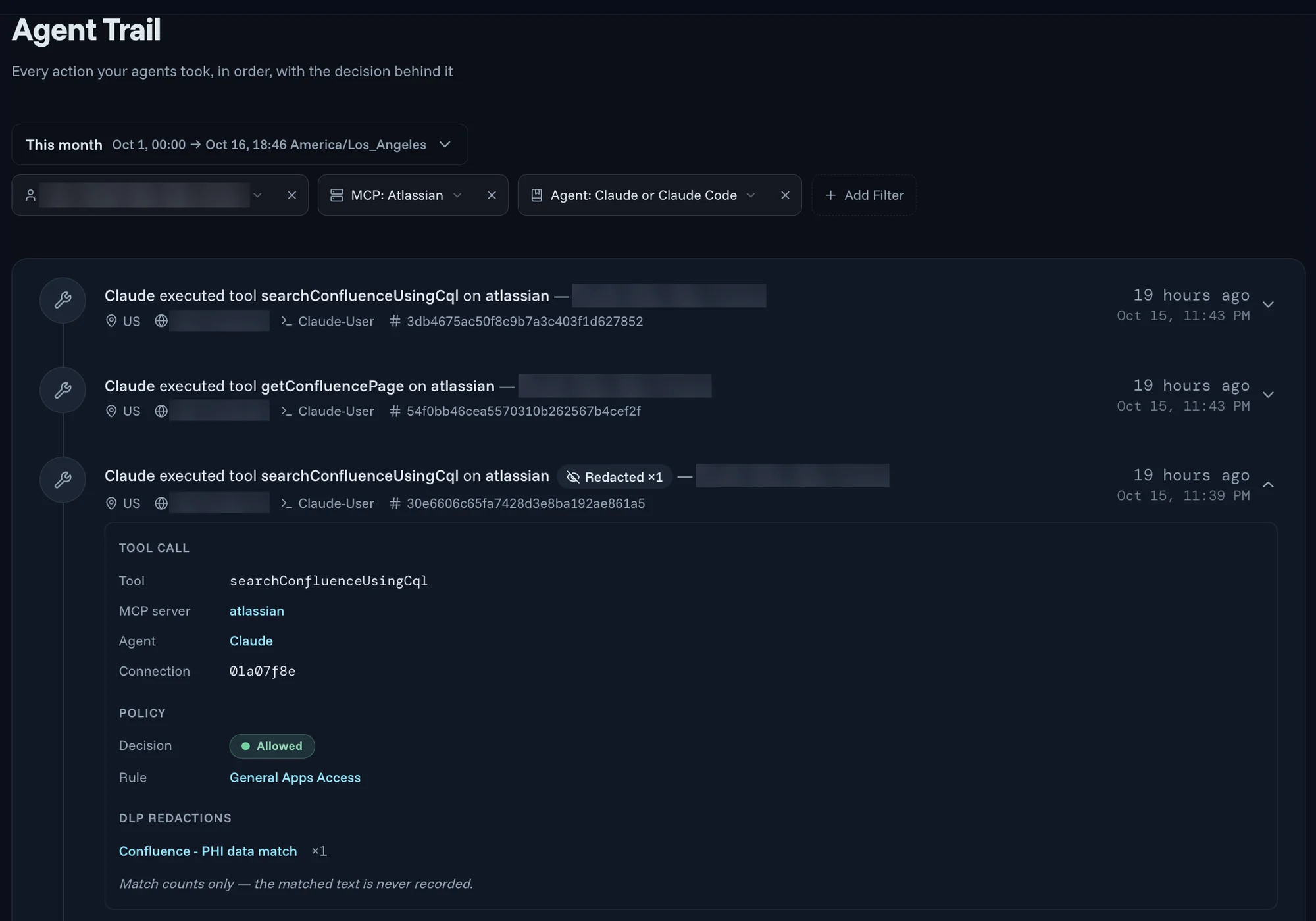
Every tool call is written to Agent Trail, in order, with the decision behind it: the agent, the person it acted for, the MCP server, the policy rule that allowed or blocked it, and any redactions. Redactions are recorded as counts only, without the matched text, so the audit trail does not become a second copy of the data you were protecting.
5. MCP Security: watch the tools themselves
The last layer watches the MCP tools themselves. Each tool comes with a definition: its name, a description, and a schema for the inputs it accepts. The AI reads the whole definition, so an attacker can hide instructions in any part of it. Agent Authority checks each tool definition, including its input schema, for content aimed at the AI, such as the hidden instructions behind tool poisoning. Per-agent rate limits cap how many calls an agent can make, so a misbehaving tool or a runaway agent hits a limit before it runs up your costs. You can start a new limit in log-only mode to see what it would block before you enforce it.
What happens when an employee asks for an AI tool
Each layer handles one part of the request:
- An employee finds the tool they need and requests it. (Onboarding)
- The request lands in the admin's Requests queue. Once it is approved, the tool is available to that employee's agents. (Onboarding)
- The agents reach the vetted version of the tool in the catalog. If the server changes the tool later, the change is flagged. (MCP Catalog)
- Each call goes through the gateway to the system behind the tool. (MCP Gateway)
- Policy decides what each call may do, sensitive data in the response is redacted before the agent sees it, and the decision is written to Agent Trail. (Authorization and Data Protection)
- The tool's definition is checked for hidden instructions, and the call counts toward the agent's rate limit. (MCP Security)
The employee gets the tool through one request, and every call after that runs under the policies IT already trusts. That is how you say yes to AI tool requests without adding risk.
FAQ
Does Agent Authority work with the AI tools we already use?
Yes. It works with the agents your employees use today, including Claude, Claude Code, Codex, Microsoft Copilot, ChatGPT, Gemini CLI, and Antigravity. Each agent connects to the gateway once, and the same policies and audit trail apply whichever agent an employee picks. On the tool side, the catalog covers more than thirty services, and you can register a custom MCP server for anything else.
How does OAuth work for an MCP server?
The MCP authorization specification builds on OAuth 2.1. A remote MCP server that requires authorization acts as an OAuth resource server, and the AI application connecting to it is the OAuth client. When the client calls without a token, the server answers with a link to its protected resource metadata, which names the authorization server to use. The client then signs the user in with the authorization code flow and PKCE, and asks for a token issued for that specific server. It sends that token on every call. The server checks that the token was issued for it, and it is not allowed to pass the token on to the APIs behind it. With Agent Authority, agents connect to one gateway, and each employee connects their own accounts to the servers behind it.
What is the difference between MCP authentication and MCP authorization?
Authentication proves who is connecting. Authorization then decides what that identity may do. MCP's OAuth flow issues a token for a specific server, with scopes that can limit the permitted operations, and the server can ask for more when a request needs it. Agent Authority adds real-time authorization on every call, based on the agent, the person it acts for, the tool, and the request itself, so a valid token is only the first check.